 World Clock
Gestures and shortcuts
Save an unmarked spot, rename a favorite or open a map link straight from a message.
Gestures you can use right away
- Save a pin. Touch and hold any point on the map, give it a name and save it. The hand button shows the gesture.
- Recenter a map. Double-tap the map on Location, Map or the map link converter result.
- Inspect an image. Pinch a country map, satellite image or sharing preview to zoom up to eight times. Pan with one finger. Double-tap to return to the original size.
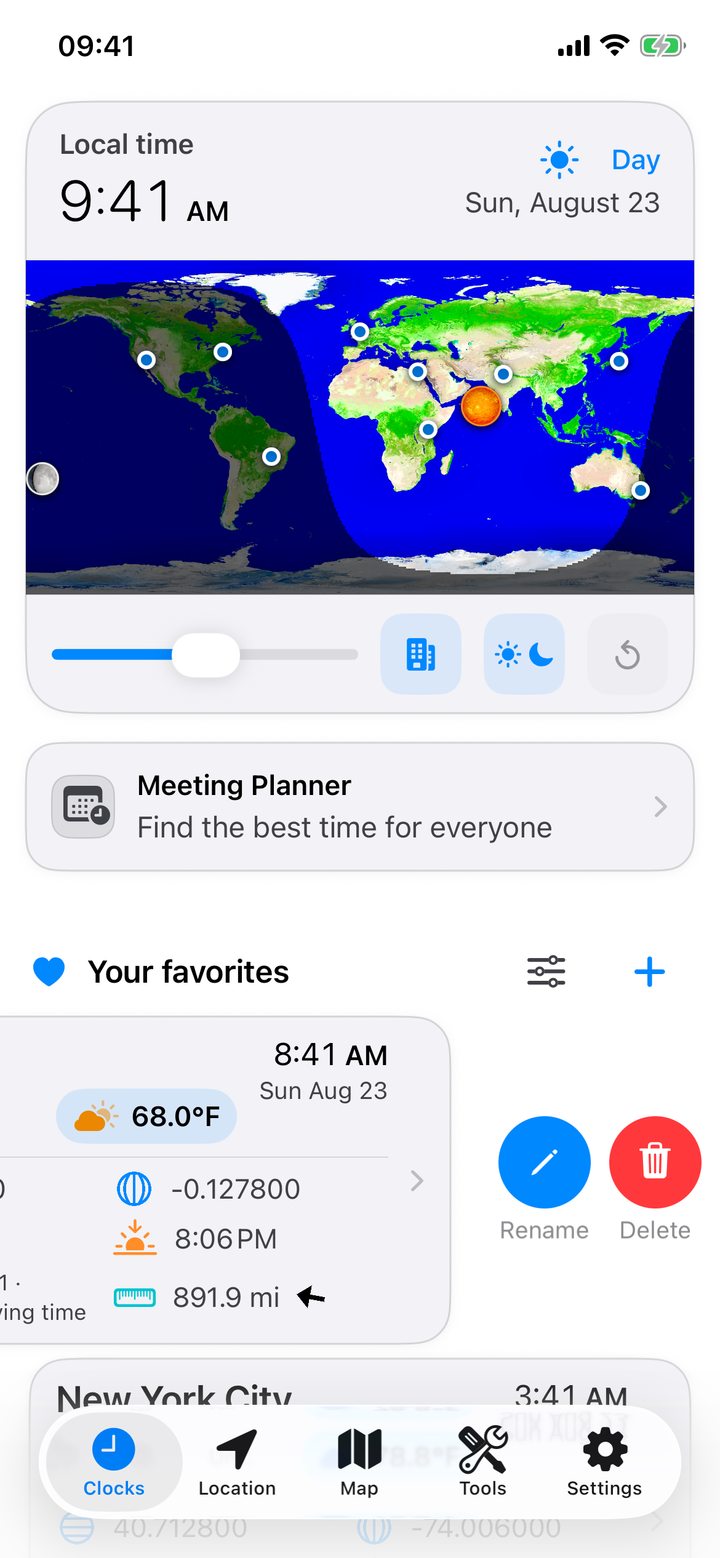
- Edit a city. Swipe left on a favorite or touch and hold it to see Rename and Delete. Pull down on the city list to refresh its weather.
- Look ahead. Drag the slider below the daylight map to move all city clocks together.
- Arrange tools. Touch and hold a tool tile, then drag it to the position you want.
- Clear a currency amount. Tap the delete key for one digit or hold it to clear the whole amount.
- Copy a calculation. Touch and hold the tape in Calculator HH:mm to copy or clear it.
- Compare many cities. Open the Meeting Planner’s wide view. The display turns to landscape.
- Copy a network address. Tap an IP address or port in Wi-Fi Scanner. A web service can also open its device’s web interface.
- Manage saved items. Swipe left on an entry in flight itineraries, conversion history, date calculations or saved networks for the available actions.
Shortcuts from another app
Open a place in a map app, tap Share and choose World Clock. The map link converter opens at that point. Tap an itinerary file received through Mail, Messages, AirDrop or Files to open it in World Clock and review it before saving.
Settings worth knowing
In Settings › Favorites Details, use the live preview to choose what appears on city cards. Under Appearance, select your default tab. The Widgets section can request an update for every widget, and Time Verification can check the device clock against a time server.
More shortcuts
Find emergency numbers on the country page in Location, power sockets in a trip summary and a shareable QR code by including a map link on a location card. Wi-Fi Scanner can check all TCP ports or scan a private subnet reachable over a VPN.