 World Clock
Explore the map and globe
Find your favorite cities on a map or globe and save a meeting point, trailhead or beach of your own.
Where to find itMap
Read and change the map
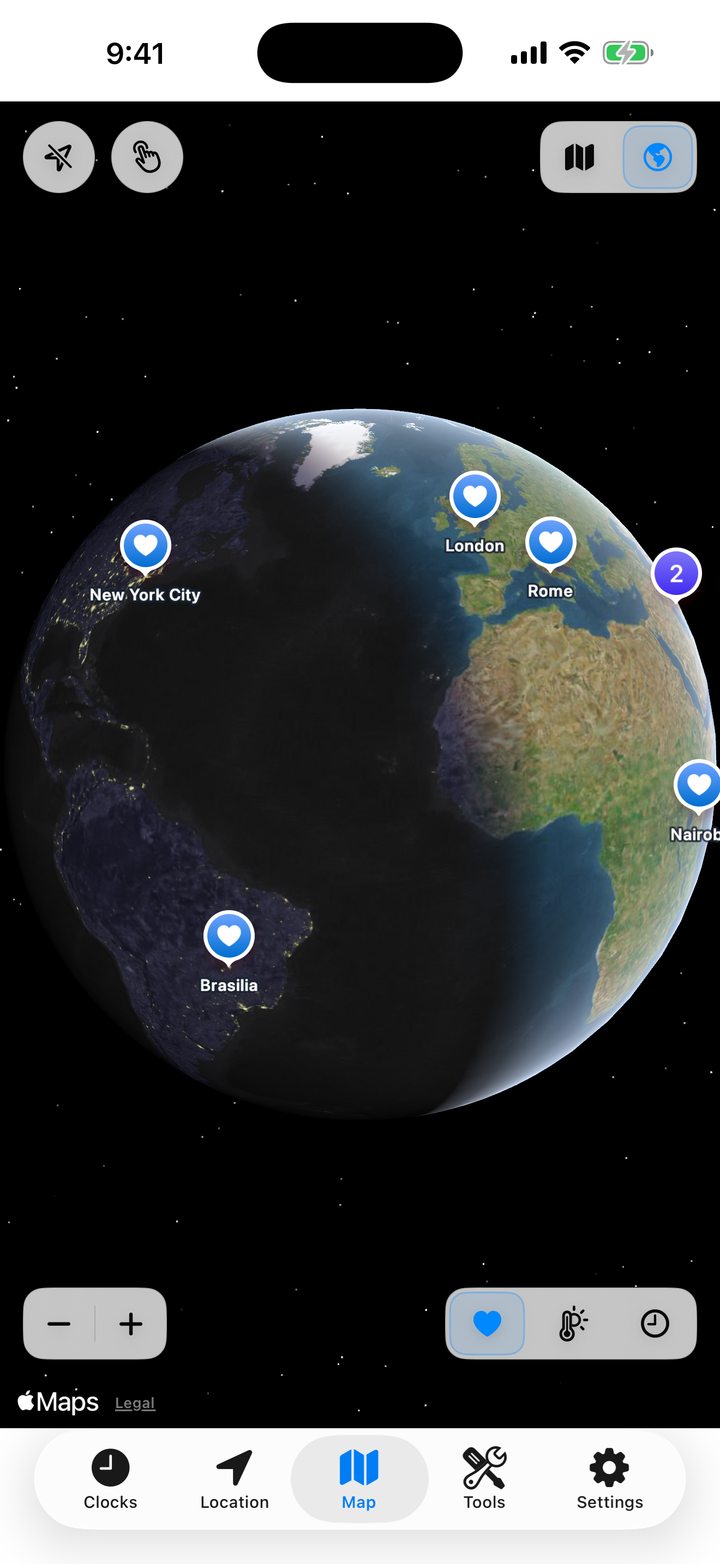
Tap the map/globe control at the top right to switch projections. Toggle the location arrow to show your position. At the bottom left, use − and + to zoom. At the bottom right, choose the heart, thermometer or clock to show plain pins, temperatures or local times.
Save a place that has no street address
- Move the map to the beach, trailhead or meeting point you want to save.
- Touch and hold the point until the add-location panel appears. The hand button on the map reminds you of this gesture.
- Check the suggested name, edit it if you like, and save. The new point appears in your favorites.
Open a city from its pin
Tap a marker to open the place page. Where several cities overlap, a numbered circle groups them together. Zoom in to separate them.
See a place’s boundaries
Where OpenStreetMap supplies a boundary, display the outline and switch between standard and hybrid map styles. Double-tap the map to center the location again.