 World Clock
Find a city and check its weather
Look up a city’s local time, forecast, sunrise and sunset. The built-in city directory works offline.
Where to find itClocks › +, or Tools › Locality
Find a place
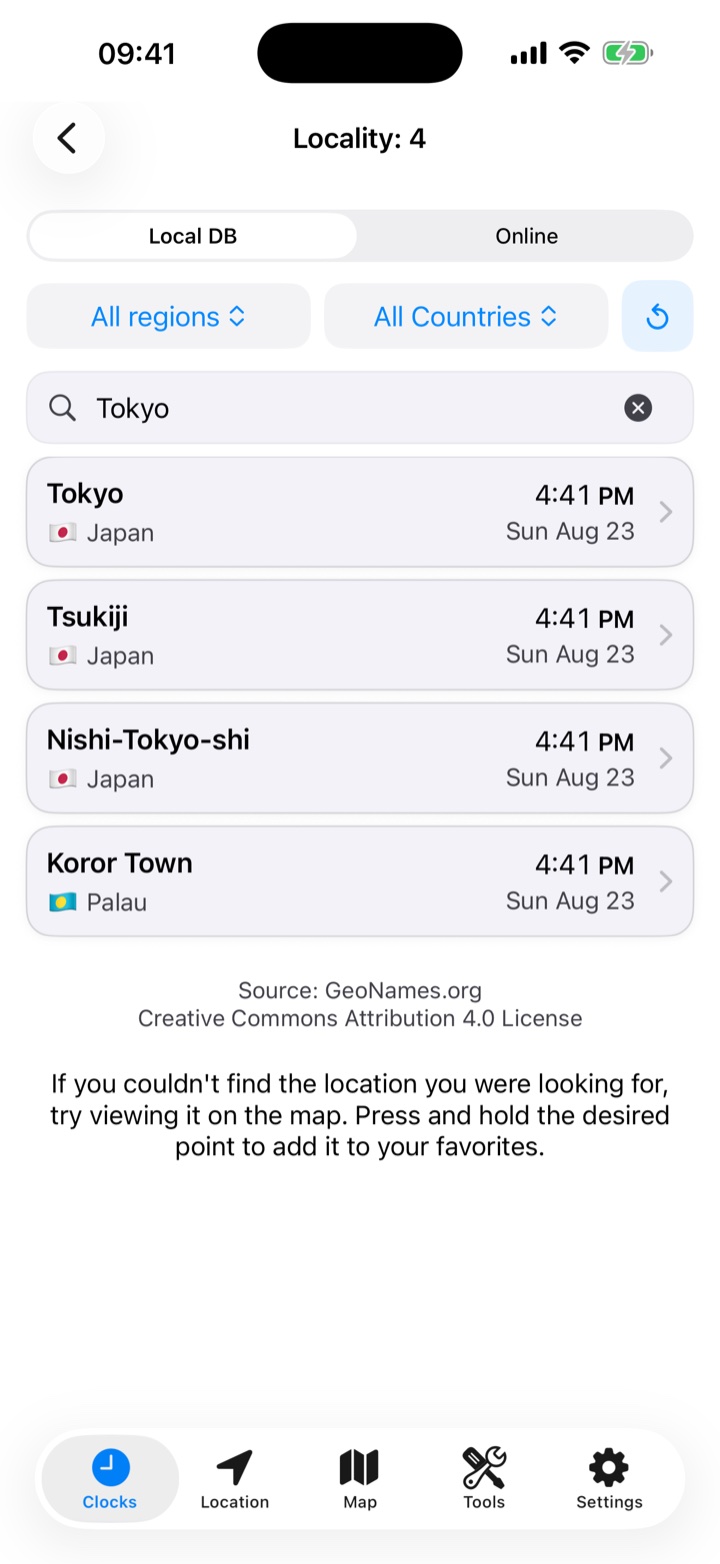
Choose Local DB to search the city directory without an internet connection. Filter by world region or country to distinguish places with the same name. Results show the type of place and, when available, its population.
For a small town, lake, mountain or neighborhood, switch to Online to search worldwide. Type at least three letters and scroll to the end to load more results from GeoNames.
Read the place page
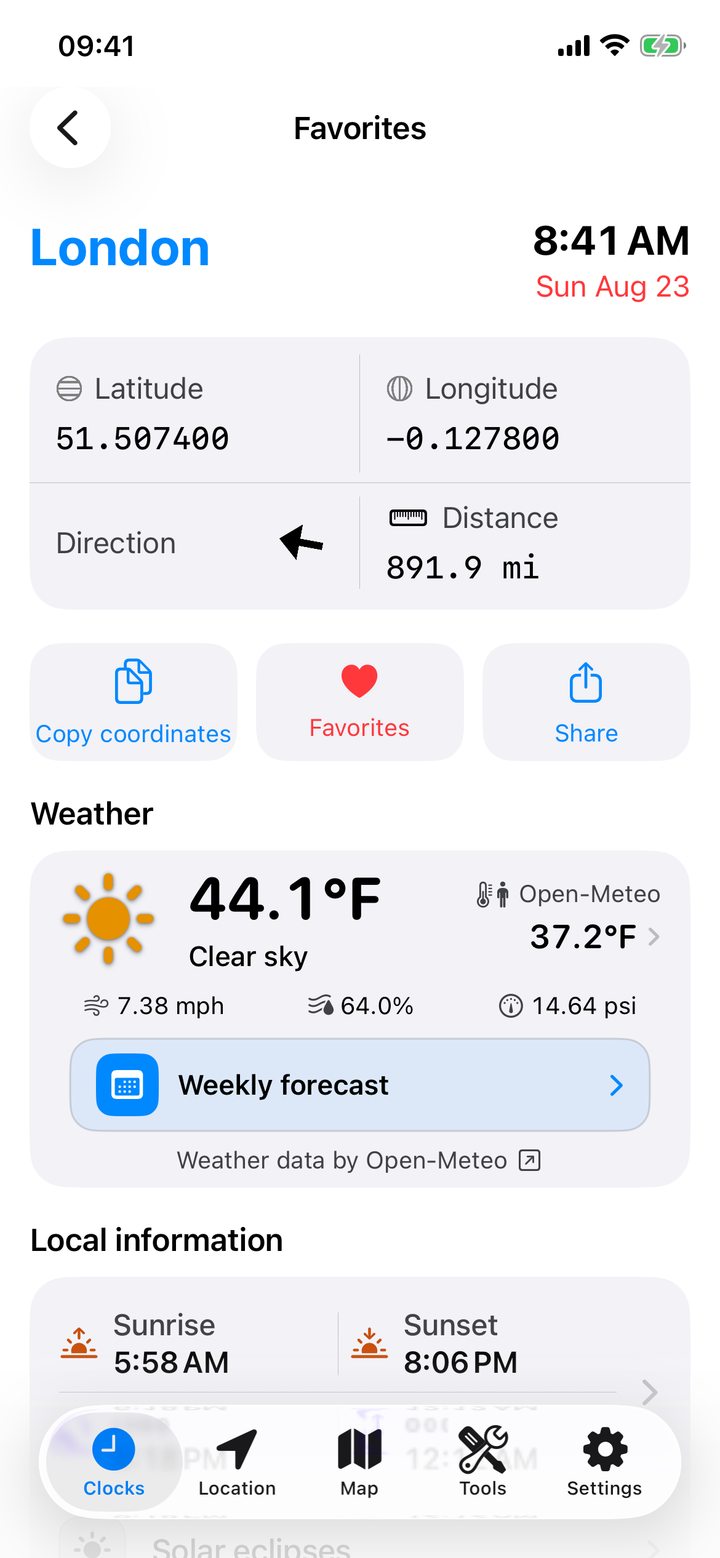
Tap a result or a favorite city. The page shows local time, date, zone and the difference from your clock. You can copy the coordinates, check distance and bearing from your position, or compare distances with other saved cities.
Choose a date to check sunrise, sunset, moonrise, moonset and the lunar phase. Scroll for alternative names, country information, eclipses and nearby places. The heart saves or removes the place. Share sends its details.
Check the hourly forecast
Open the weather for a place to read current conditions, temperature, humidity, wind and pressure. Open the weekly forecast to compare daily highs and lows, then tap a day for its hourly forecast.
Tap the feels-like temperature to compare five calculation methods using the current weather. In Settings › Open-Meteo, choose the method, temperature units, wind speed units and pressure units.