 World Clock
Plan a flight itinerary
Enter the local times on your tickets to find your time in the air, your layover and the time back home when you land.
Where to find itTools › World › Flight Itinerary
Calculate a flight’s actual duration
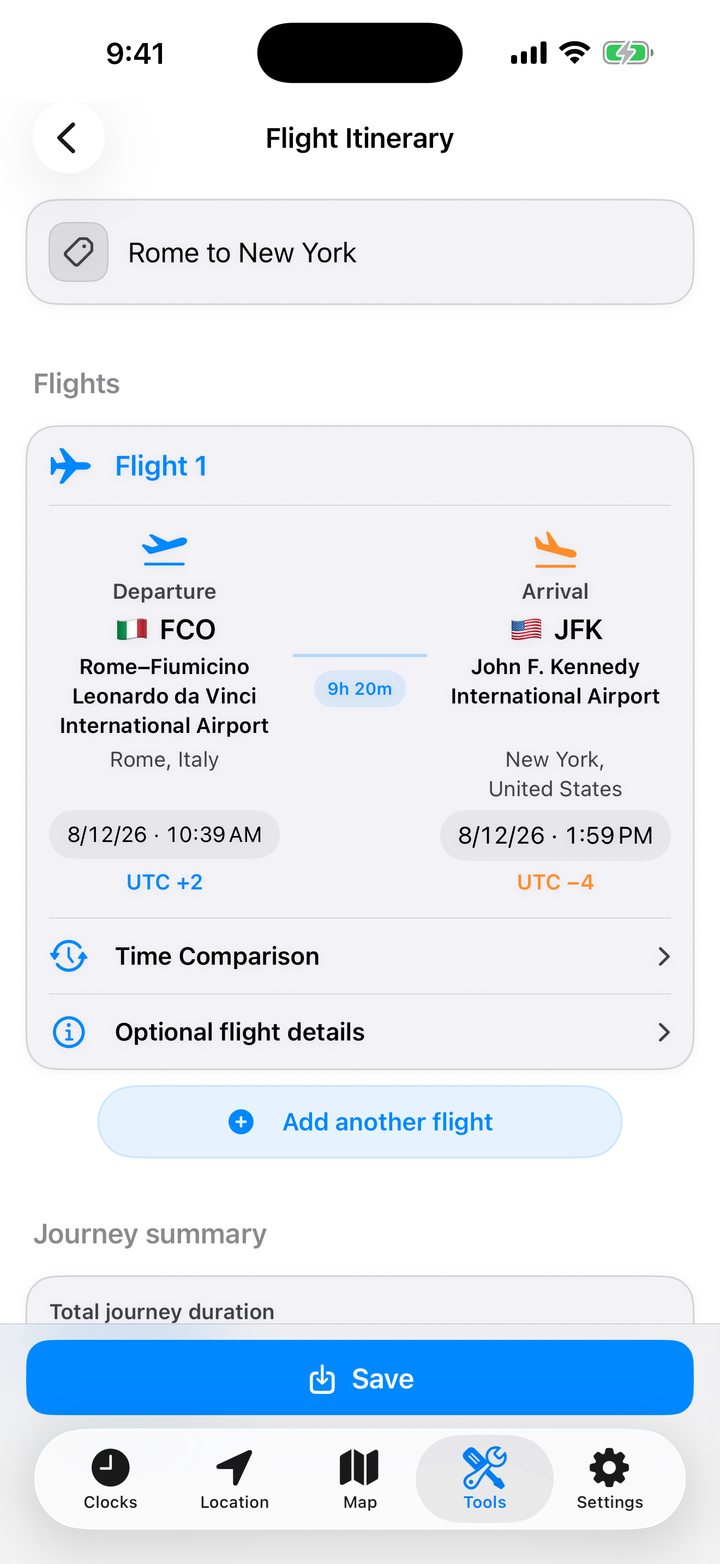
- Select the departure airport. Search by name, city, country, IATA code (such as FCO) or ICAO code (LIRF).
- Select the arrival airport the same way.
- Enter departure and arrival exactly as shown on the ticket, including each local date. If the arrival is the following day, use that date.
- Read the flight duration. The app accounts for the time difference between the airports.
Check layovers and airport changes
Choose Add another flight for each leg. Between legs you can see the time available, whether the interval is a connection or a stopover, and whether you must change airports. The editor flags departures before the preceding leg arrives, identical departure and arrival airports, and durations over 72 hours.
Add flight details
Record the airline, flight number, departure and arrival terminals and gates. Keep directions or a booking reminder in the notes for that flight.
Find out what time it will be at home
Open the time comparison for the flight. Show the departure or landing in your home time zone, one of your favorites or another zone you choose.
Read the trip summary
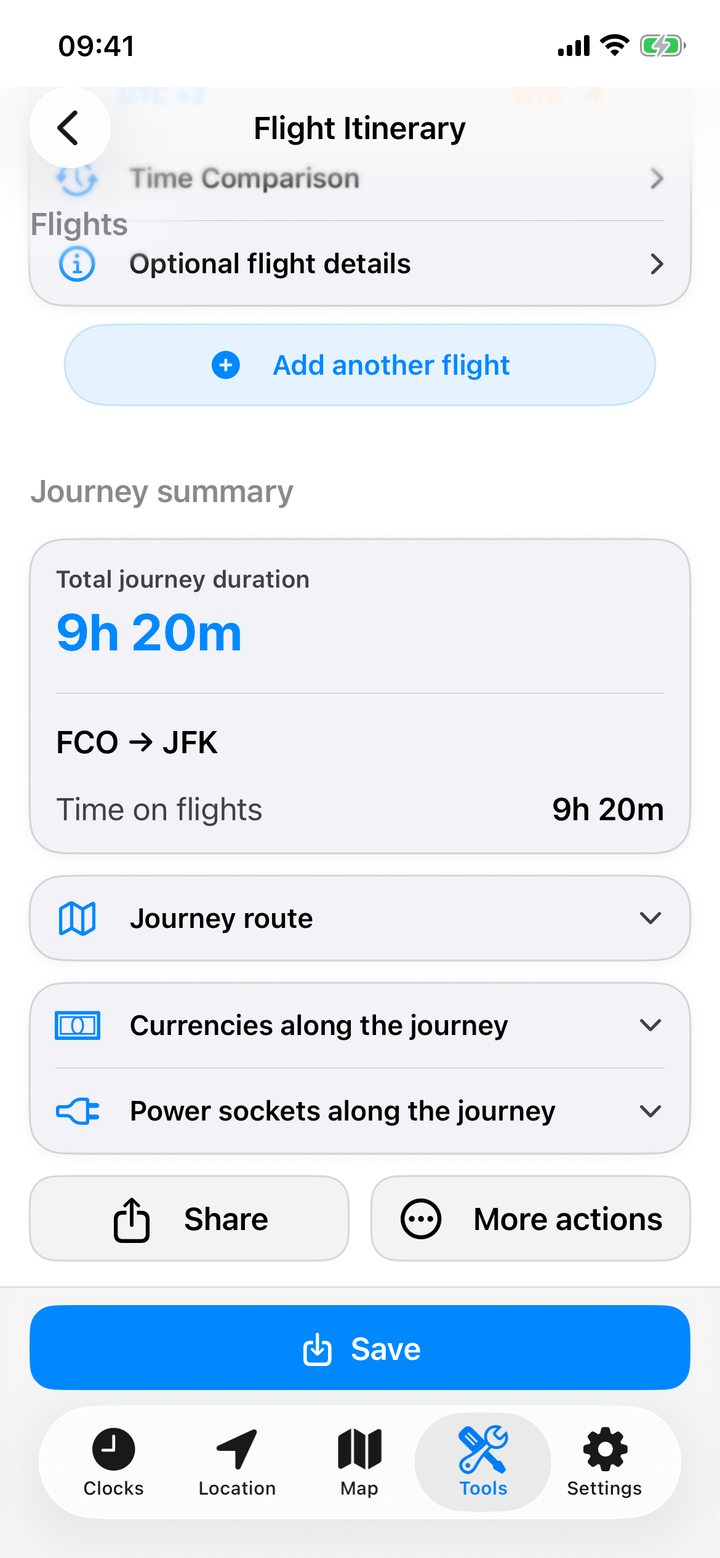
Compare time in the air with total journey time. Open the route map for all airports, check the currencies along the route and see which plug adapters you may need.
Save, share or import a trip
Save the itinerary with a name. In saved itineraries you can reopen, update, rename or delete it. Share an image for someone who just needs the schedule, choosing whether to include the map, currencies and sockets. Share a file for someone who wants to edit the trip in World Clock. Tap a received itinerary file and confirm to save it. Clear the editor to start another trip.