 World Clock
Compass, steps and flashlight
Take a compass bearing, compare today’s steps with the past week or turn on the iPhone light.
Where to find itTools › Utilities
Take a bearing
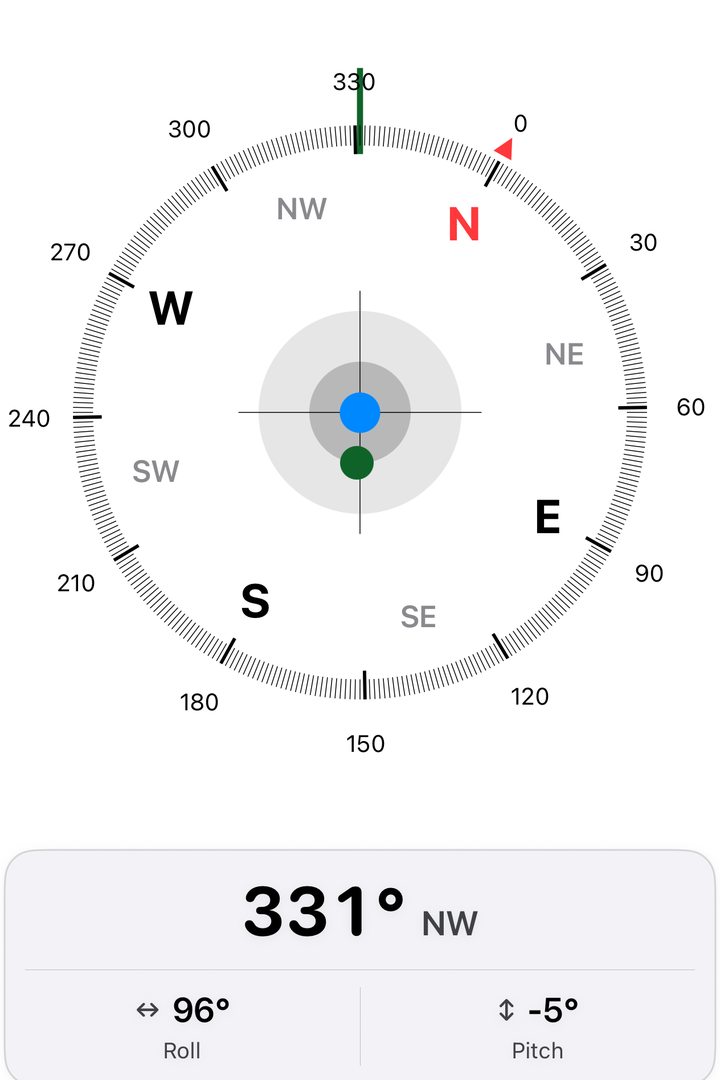
Point the top of your iPhone toward an object. The compass displays the direction in degrees and compass points. Side-to-side and front-to-back tilt also help you level the device. You can open the compass directly from the Tools overview. Keep it away from magnets and large metal objects for a steadier reading.
Check how far above or below average you are
Open Steps on a device that supports Health data and allow read access for steps. See today’s total, scroll back through previous days and compare the count with the seven-day average. If the count is empty, check that steps are recorded in Health and that World Clock can read them.
Use the light or flash an SOS
Tap the flashlight control to turn the light on or off. The SOS control repeats three short flashes, three long flashes and three short flashes. Tap again to stop. To reach emergency services, call the local emergency number. You can look it up on the country page.