 World Clock
Where am I?
Find your coordinates, altitude and address, then see what is nearby or send someone your location.
Where to find itLocation
Locate yourself and check the accuracy
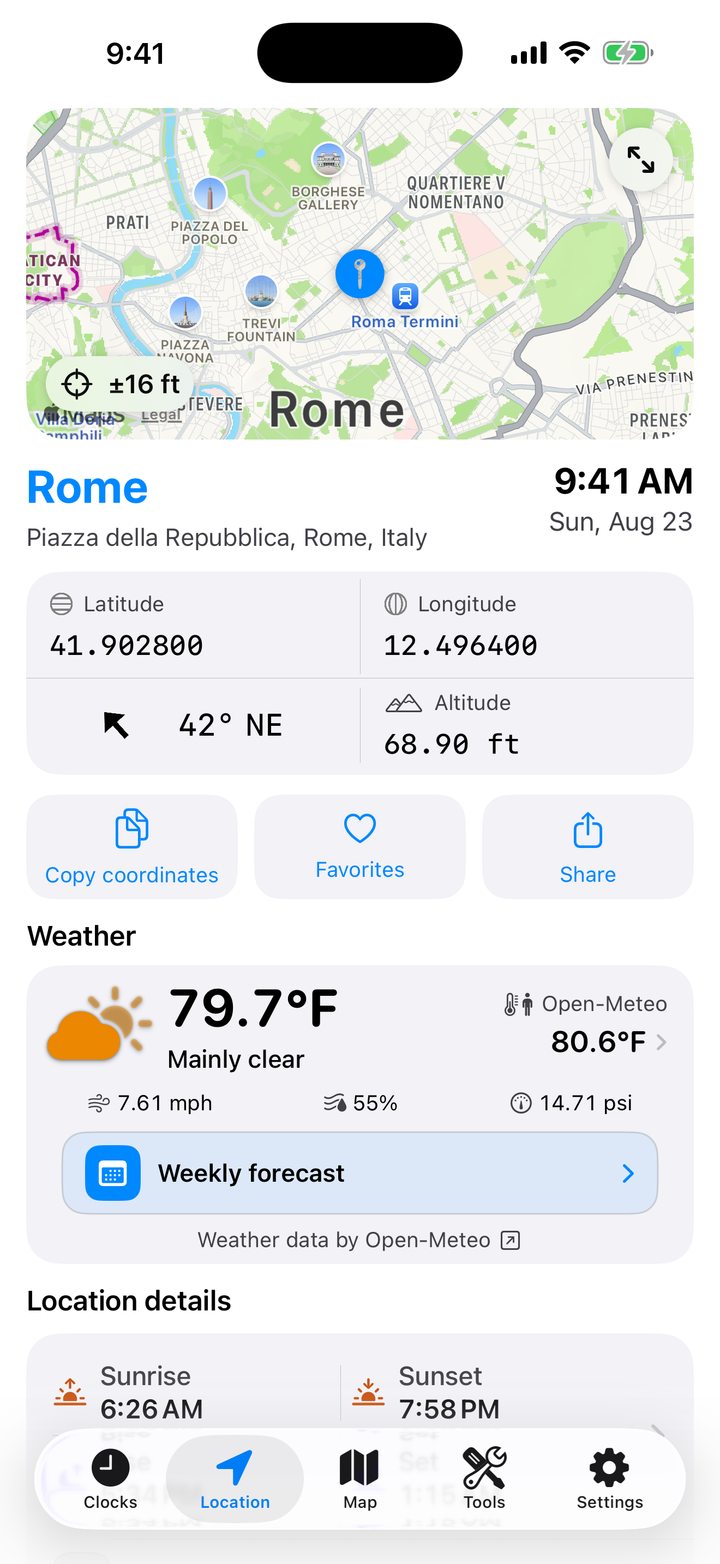
The map centers on your device. A value such as ±5 m indicates the estimated accuracy. Tap the arrows for a full-screen map or double-tap the map to recenter it. If the signal is weak, try outdoors. If a new fix is unavailable, the app can show the last position.
Copy or save your coordinates
Below the map, read the place, address, date, time, latitude, longitude, altitude and heading. Use Copy coordinates to paste the point into a message, the heart to save it, or Share to send a map card.
Under Settings › Formats and units, choose decimal degrees, degrees and decimal minutes (DMM), or degrees, minutes and seconds (DMS).
Weather at your position
Read the current conditions and feels-like temperature, then open the weekly forecast for the days ahead.
Read location details
Scroll down for Sun and Moon events, the street address and distances to your favorites. Extended Data includes speed, horizontal and vertical accuracy, last update time, and local conventions such as language, currency and measurement system.
Find local country information
Open the country card for its flag, capital, calling code, currency, plug types, voltage and frequency. Pinch its boundary map to zoom. If emergency numbers are available, tap a listed service to start a call on a phone that supports calling.
Explore nearby places
Open the local information section here, or Extra on a city page. Pick Wikipedia for articles and images, GeoNames for named geographic features or OpenStreetMap for points of interest by type. Adjust the search radius, compare pins in the list and on the map, then open an article or ask Apple Maps or Google Maps for directions.